Recepture
An AI-powered recipe app - Your own private AI chef helps you discover recipes and plan your week
- Stack
- Live
- www.recepture.app ↗
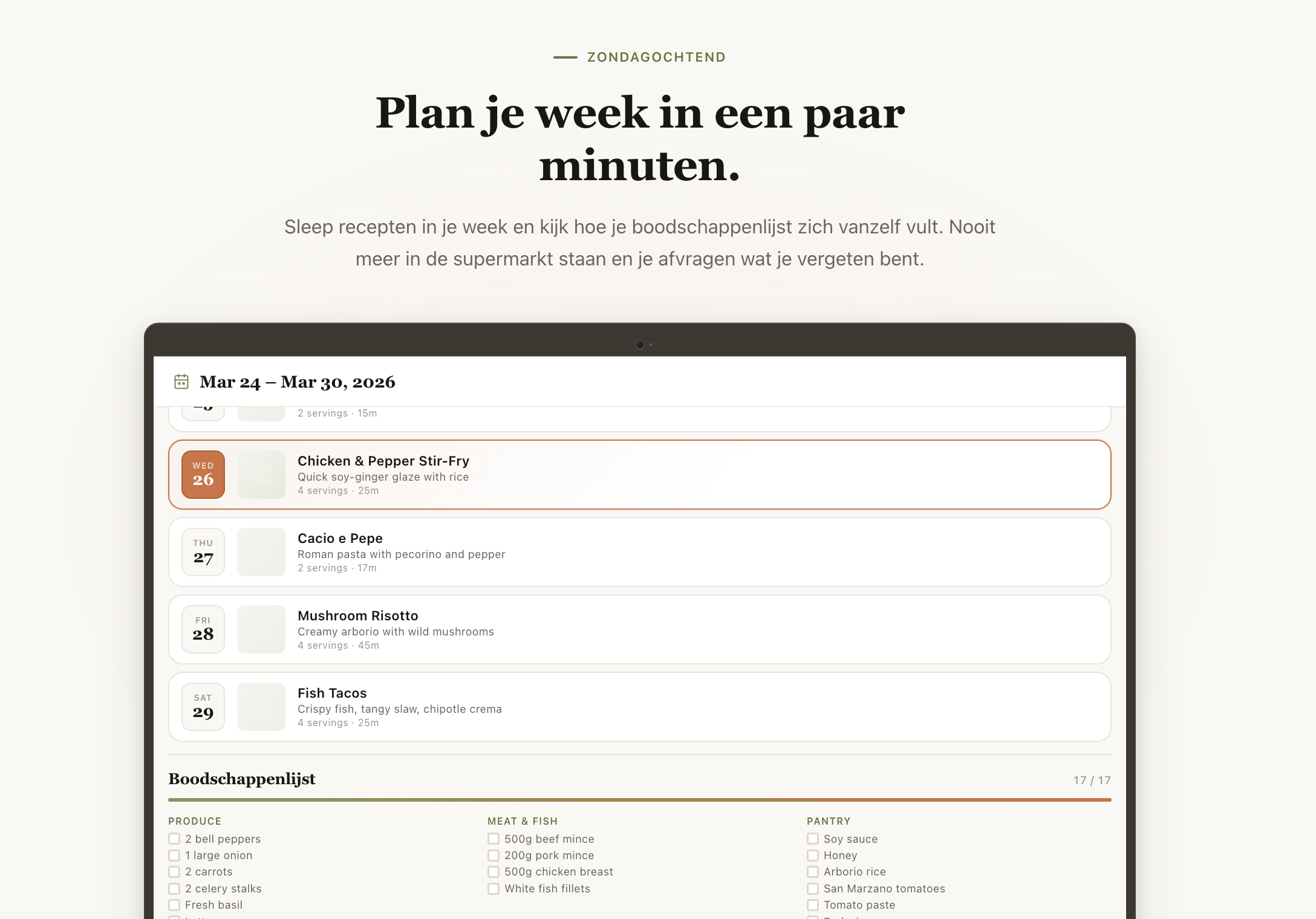
Recepture, a recipe app that thinks like a chef
It's 18:30. The fridge is open. Half a shallot, some yoghurt, a leftover piece of chicken. You don't really know what you want for dinner, you only know what's in front of you.
The search bar in most recipe apps is not much help in that moment. Recepture was built around it.
Three apps, one cookbook
Recepture lives in three places :
- A desktop app for Mac and Windows
- A web app at recepture.app
- A native iOS app on the App Store
The apps share the same cookbook, the same meal plan, the same shopping list. Open one and your library is already there. Change a recipe on the laptop and the phone has it before you have walked from the office to the kitchen.
The technical word for this is "local-first". The product word for it is instant.
- No loading spinner when you open a recipe
- Search starts matching from the first letter you type
- Cooking mode keeps working when the WiFi drops out in the middle of a paella
- Switching devices feels like picking up a book on the right page
If you ever forget you're using an app, that's the point.
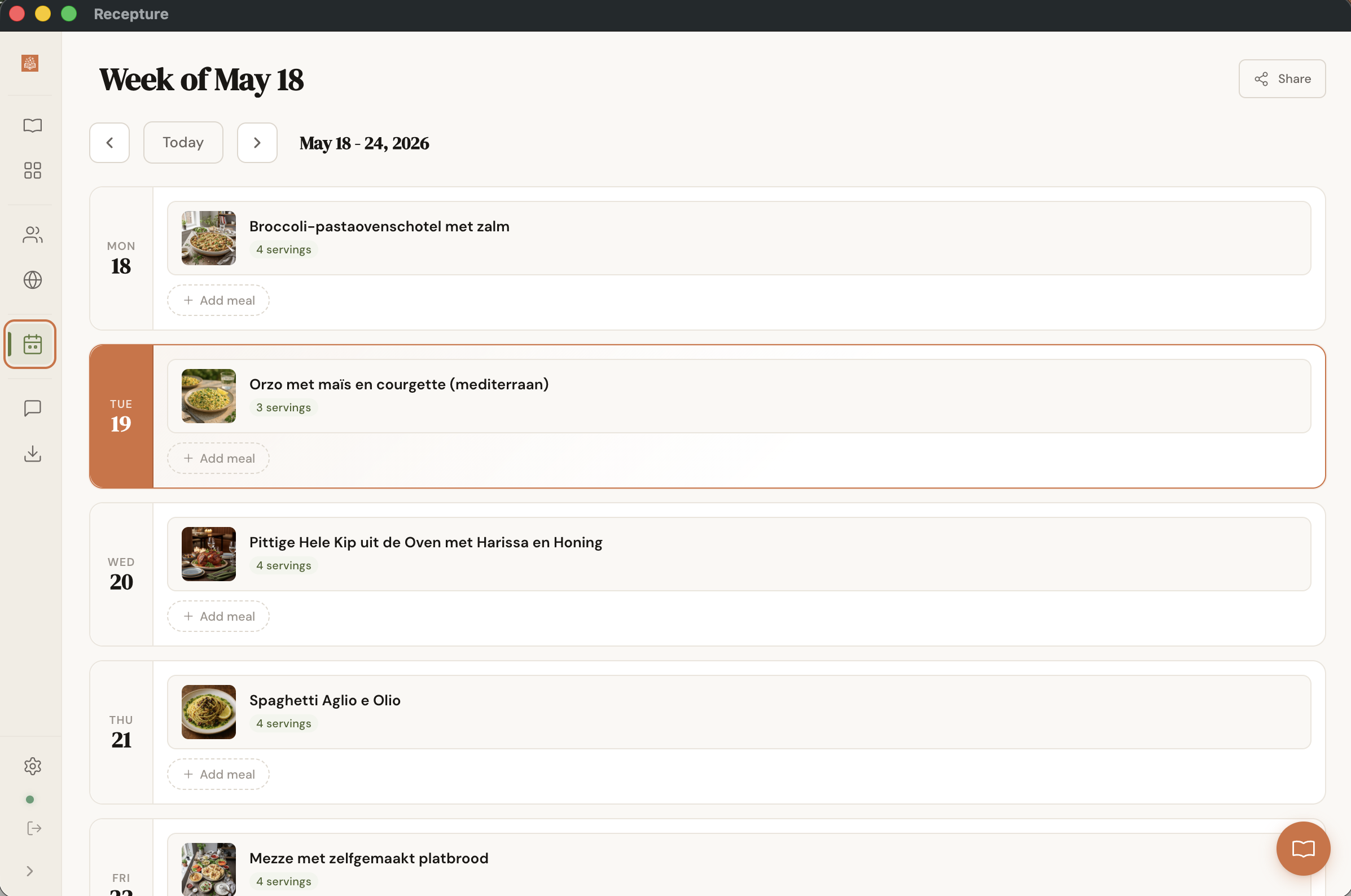
One stack, three apps
There is a normal way to build a product on three platforms. You hire a desktop team, a web team, and a mobile team. You give them roughly the same brief. Six months later you have three apps that are almost the same and a roadmap full of "let's fix this on the other platforms too" tickets.
We did not want that, so we did the boring thing :
- The same UI framework (React) powers desktop, web, and the iOS app
- The same colours, spacing, and typography live in a single design-token package
- The same data engine handles offline reads and cross-device sync on all three
- The same hooks (recipes, meal plan, settings, family) feed every screen
- The same components are reused on web and desktop wherever they make sense
The bit that matters for design is this : when the colour of the "save" button changes, it changes everywhere on the same day, by changing one file. When the meal-plan logic gets a new rule, all three apps get it. When somebody on the team finds a faster way to load a recipe, the iPhone is faster too.
Three apps that quietly drift apart is the default failure mode of any "omnichannel" product. Recepture is built so that drifting apart is the harder thing to do.
The pay-off shows up in two places at once :
- For the team, it means we can ship a feature across three platforms in a week instead of three
- For the user, it means the recipe app on your phone is not a stripped-down version of the one on your laptop. It is the same product, with the same brain, in the shape of a phone.
That frees the team to spend its time on the parts of each platform that are genuinely different : the camera on iOS, the native file picker on desktop, the SEO of a shared recipe page on the web. Everything else stays in sync by default.
Chef Airique, not "AI assistant"
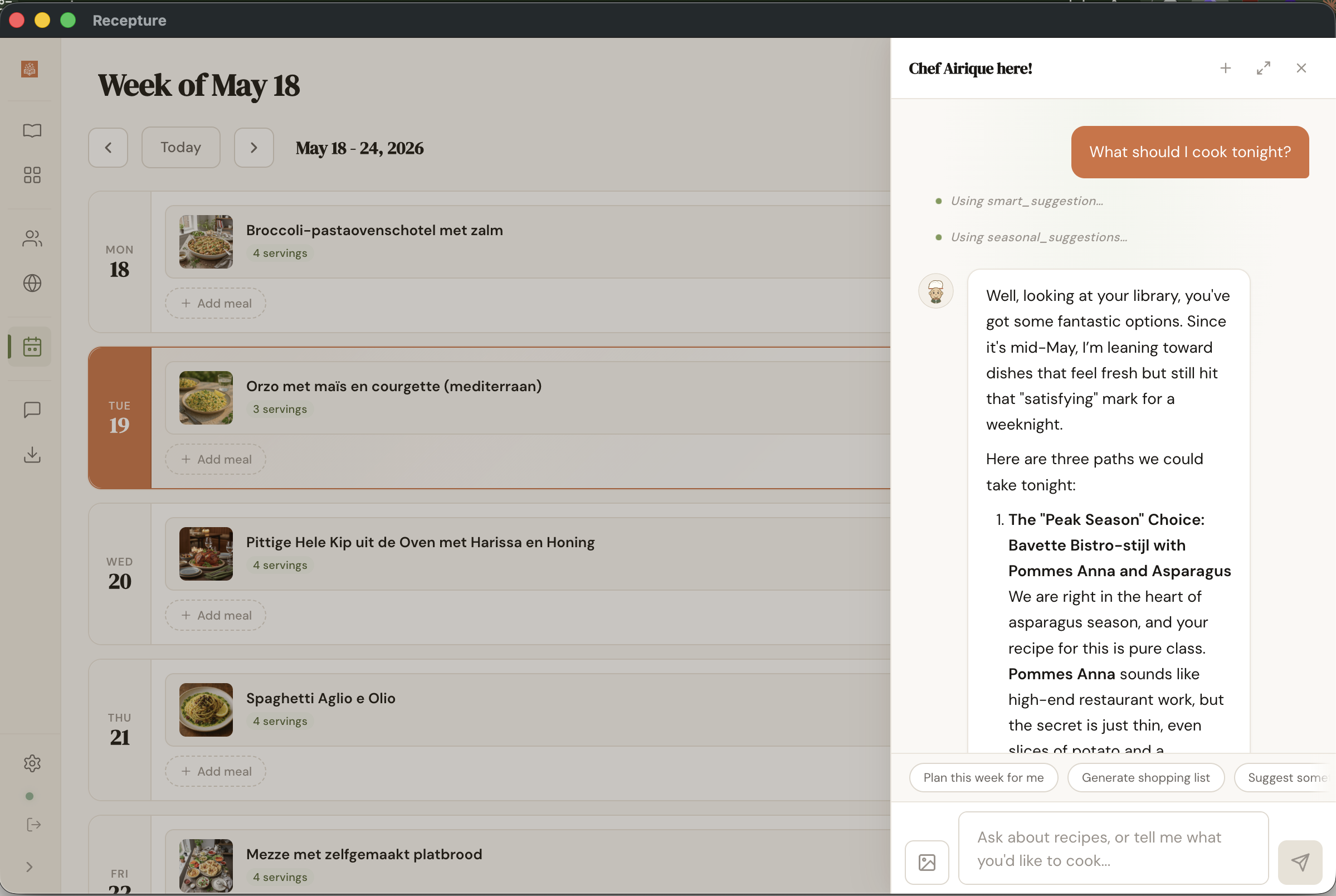
The AI in Recepture has a name. Chef Airique. He has a personality, professional, technique-focused, mildly opinionated, and a hand-drawn avatar in the chat. He is not "Recepture Assistant", he is not "AI Chef", he is not a magic wand icon.
This is a small choice that does a lot of work. A named character sets a tone. A tool labeled "AI" does not.
Airique has a memory too. If you mention you don't like cilantro, he writes it down. If you usually cook for four, he remembers. Next time you ask him to scale a recipe he will already know.
The notes are visible in Settings. You can read them, edit them, delete them. The agent should feel like a chef who keeps a small card on each guest, not like a vendor running a profile on you.
What Airique can do without much help :
- Plan a week of meals and turn it into a shopping list
- Scale, substitute, or adapt a recipe for allergies and diets
- Suggest pairings, estimate cost, estimate nutrition
- Critique your meal plan ("a lot of beige food, maybe move the soup")
- Tell you the story of a dish if you're curious where it comes from
Point the camera at the fridge
This one took a while to get right and I think it is the best thing in the app.
Open the chat. Point the camera at the open fridge. Airique tells you what is in there, then matches it to recipes from your own library.
The same flow works the other way around. Take a photo of your grandmother's handwritten recipe, the one on the back of a postcard. It comes back as a clean recipe card with ingredients, steps, categories, and a generated photo on top. The original lives in your library now.
Most recipe apps start with "what do you want to cook?". Recepture starts with "what do you have?".
That is a different question. It is also the question most home cooks are actually answering at 18:30.
Private, family, public
Every recipe in Recepture has a visibility :
- Private is the default. Yours, only yours.
- Family shares the recipe with everyone in a family cookbook. Shared categories, shared meal plan, one invite code per family.
- Public puts it on the Discover page for anyone using Recepture to find.
That is the whole social model. Three tiers. No friend graph, no follower count, no "share with a group" middle layer. We sketched one and it kept collapsing into Family or Public depending on the friend.
Family is the tier most people actually use. When you join a family, the app offers to copy your existing recipes into the shared collection on the way in, so your partner does not start with an empty cupboard.
The shopping list that actually works
A small feature that sounds boring until you have lived without it.
Recepture's shopping list groups ingredients by store aisle, not by recipe. If three recipes call for parsley, you see one line that says parsley. You walk through produce once. You walk through dairy once. You do not double back because the next recipe also wanted milk.
Anyone who has done a real Saturday grocery run with a recipe-app shopping list knows the second list never works.
The list is generated from your meal plan, organised by aisle, ticked off in the web app on your phone while you stand in the store.
A few visual choices
Recepture does not look like other recipe apps. There is a reason for that.
- A serif headline font, because cookbooks have always used serifs and cookbooks have always been right
- A parchment background and olive-green accents, warmer than the usual flat white
- Hand-drawn illustrations on empty states rather than grey boxes
- A hand-drawn chef in the chat, not a robot icon
- The same colours and spacing across desktop, web, and mobile, down to the pixel
The aim was a small modern thing that still feels like a cookbook. Not a productivity app that happens to know what salt is.
Where to find it
Recepture is on the App Store. It is on Mac and Windows. It is on the web at recepture.app.
The monthly plan is €3.